LOGIN TO STOCK-M
Login
Login to STOCK-M inventory management system
1. Login to STOCK-M inventory management system WEB address http://xxxxxxxx.eu
2. Employees, which have login rights, enter their login information.
3. User can send password change link for himself. User name has to match with the e-mail address, that reminder would work.
4. Once the “Remember” checkbox is ticked, you will not need to enter login name and password every time – until the device is turned off (but not more than 24 h) the system will remember logged in user data.

Language selection
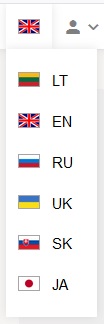
After login to the system, it is possible to choose one of suggested languages.
When you switch the language, opened windows in STOCK-M are not closing, just restarting.
Password changing
After login to the system, in menu “PROFILE”, you can change your password.
